With Return Prime, you can easily refund a partial amount to a customer instead of refunding the full amount of the item or order.
How to issue a partial refund
Go to the Return Prime dashboard.
Open the relevant return request.
Click on Refund.
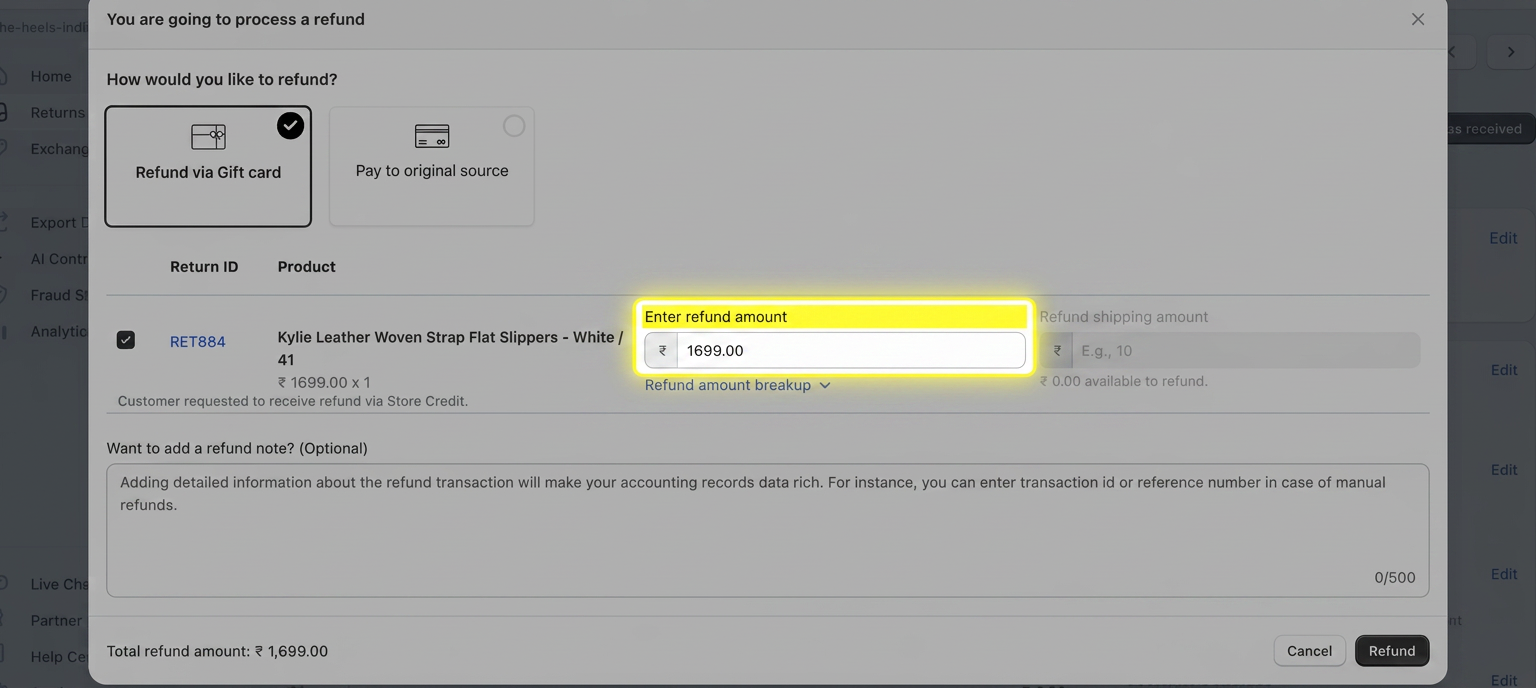
A refund popup will appear.
Enter or adjust the refund amount you want to issue.
Review the amount and proceed with the refund.
This allows you to offer a partial refund based on the specific situation—for example, when you want to compensate a customer without issuing a full refund.

Want the customer to keep the item and receive a partial refund?
If your main goal is to let customers keep the item while offering them a partial refund, you don't have to handle this manually for every request.
Return Prime's Green Returns feature lets you offer this option directly in the customer's return journey. You can configure rules to automatically determine which customers or products are eligible and set a fixed amount or percentage-based partial refund.
This can help you:
Reduce reverse logistics and operational costs
Give customers a faster, hassle-free resolution
Avoid unnecessary return shipping
Build a more sustainable returns process
? Learn how to set up Green Returns:
Boost Sustainability and Save Costs with Green Returns
Was this article helpful?
That’s Great!
Thank you for your feedback
Sorry! We couldn't be helpful
Thank you for your feedback
Feedback sent
We appreciate your effort and will try to fix the article