We too never liked restrictions in branding and marketing so we let you design your own branded experience for all email notification templates for a personalised customer experience. With the help of Prime variables you can even have dynamic values in all emails. Here is how you can edit a template:
Log in to your Return Prime dashboard or click here
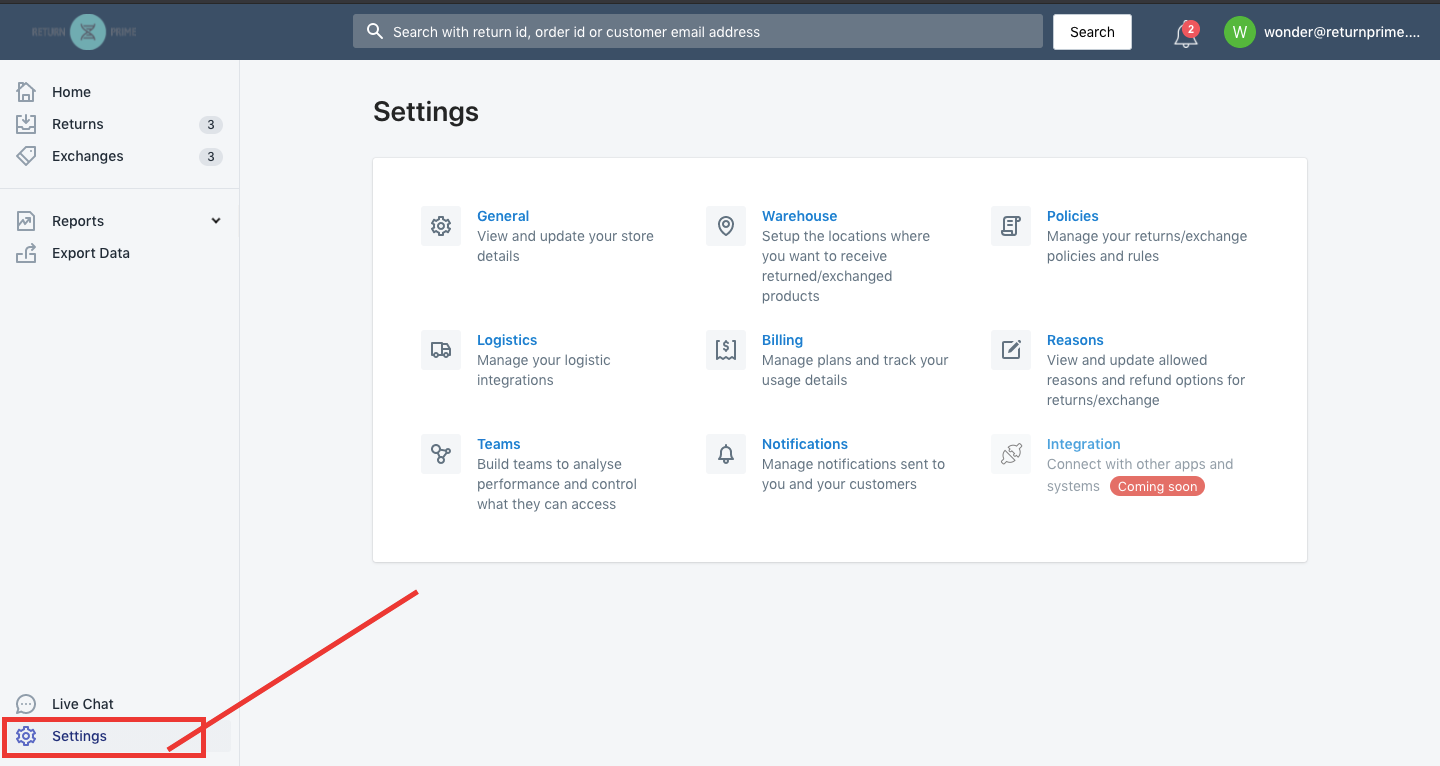
Click on Settings (bottom left) on your Return Prime dashboard or click here
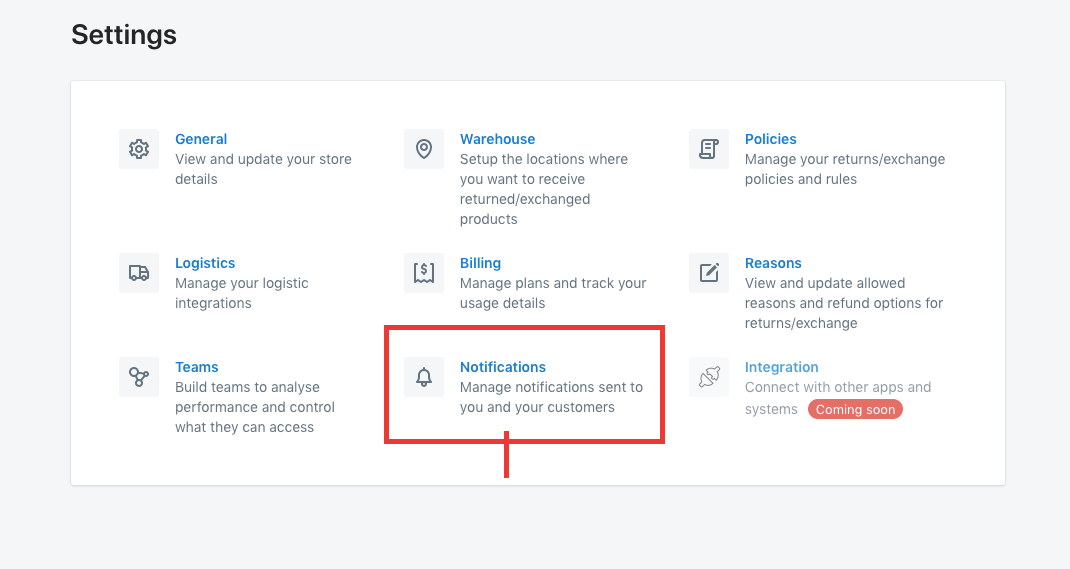
Click on Notifications from the setting menu, or click here
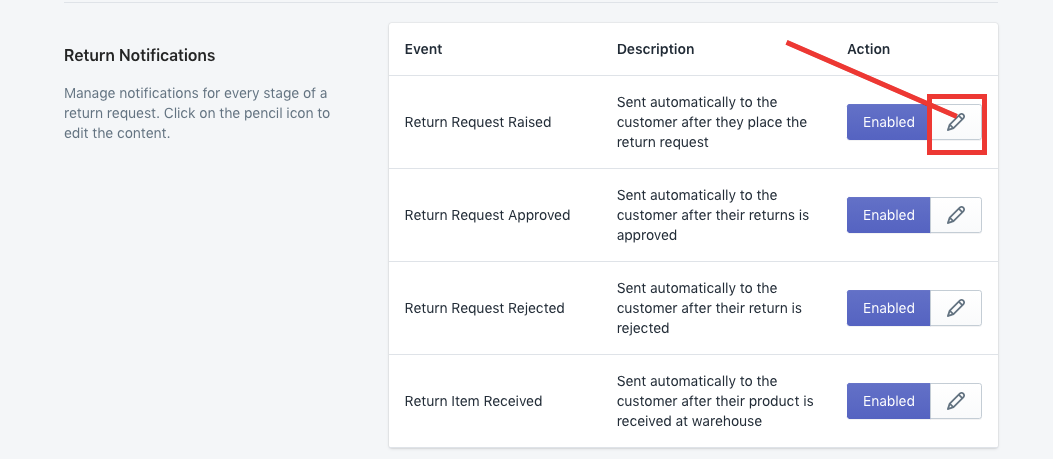
Click on the edit button to edit the template. All events have a beautiful designed template present by default.
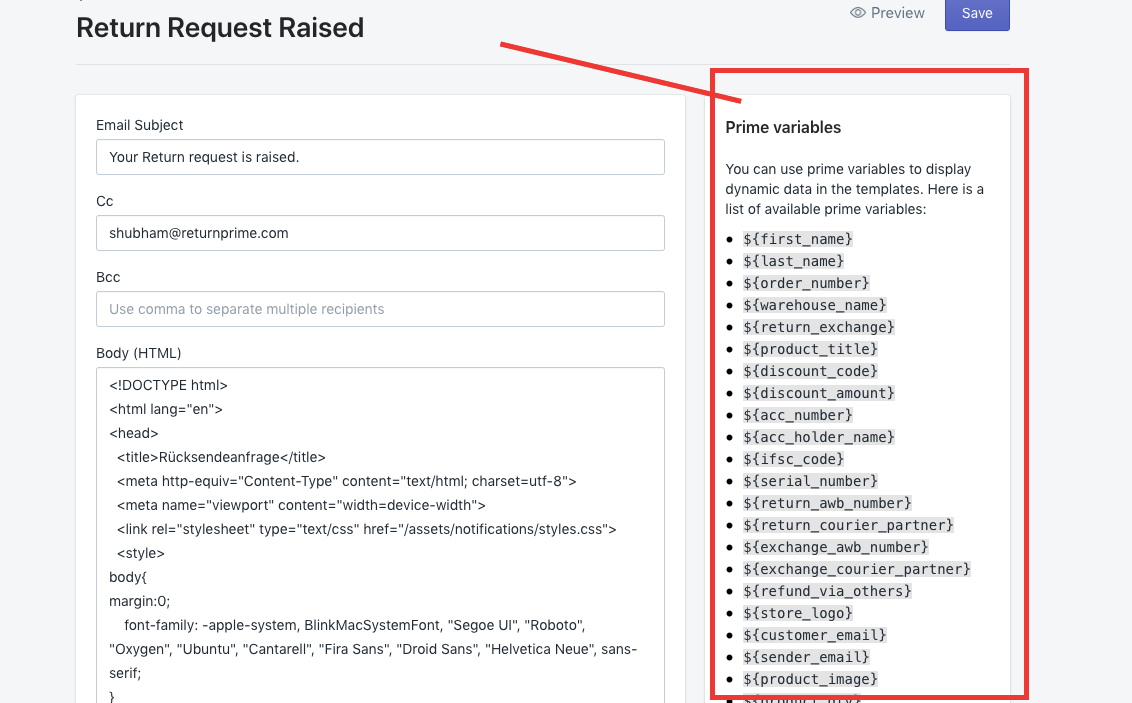
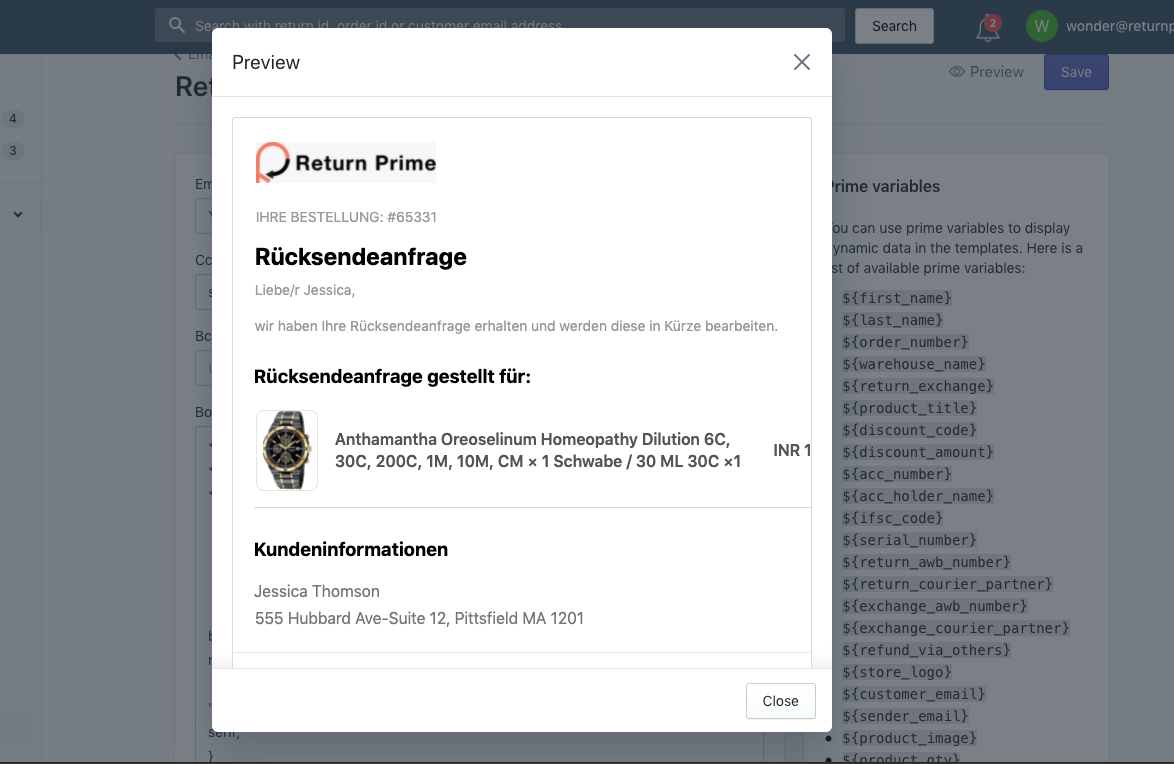
To help you out in creating the templates, we have our Prime Variables available to create dynamic content in the template.
Once you are done editing, you can preview the template and click on Save.


Pro-Tip: A well designed branded email template definitely creates an impression on your customers. We recommend spending time on creating the right notification templates for an engaged audience. |
Was this article helpful?
That’s Great!
Thank you for your feedback
Sorry! We couldn't be helpful
Thank you for your feedback
Feedback sent
We appreciate your effort and will try to fix the article