Issue
When creating an exchange order using “Pay on behalf of customer”, the order may get linked to the logged-in Shopify admin/staff account instead of the actual customer.
This typically happens when you are logged into your Shopify account in the same browser.
Solution
Follow these steps to resolve the issue:
Open the Checkout Link
Navigate to the checkout link generated for the exchange order.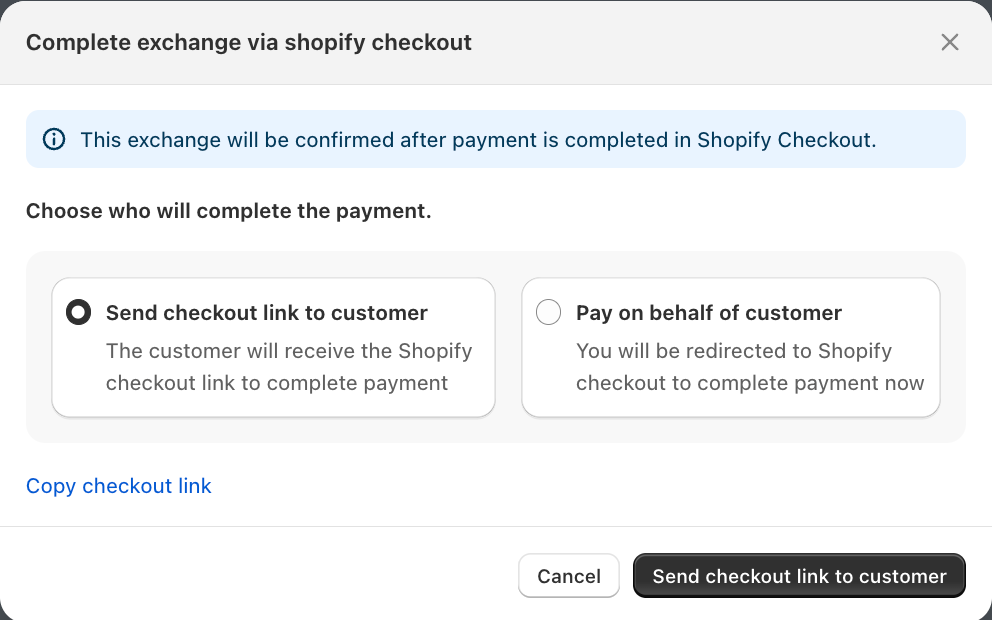
Access Account Options
Click on the three dots (⋯) next to your account name on the checkout page.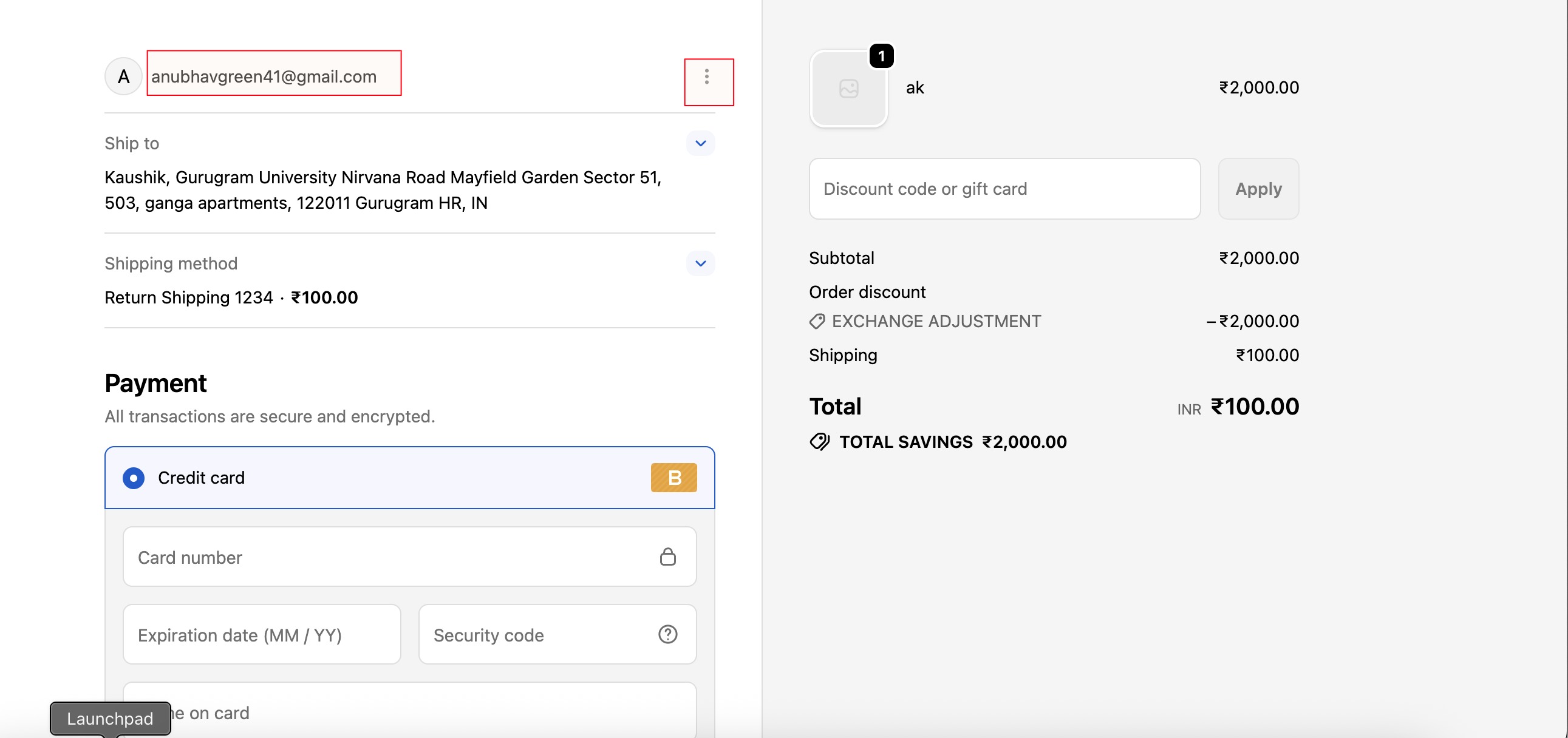
Sign Out of Your Account
Click on the “Sign out” button as highlighted.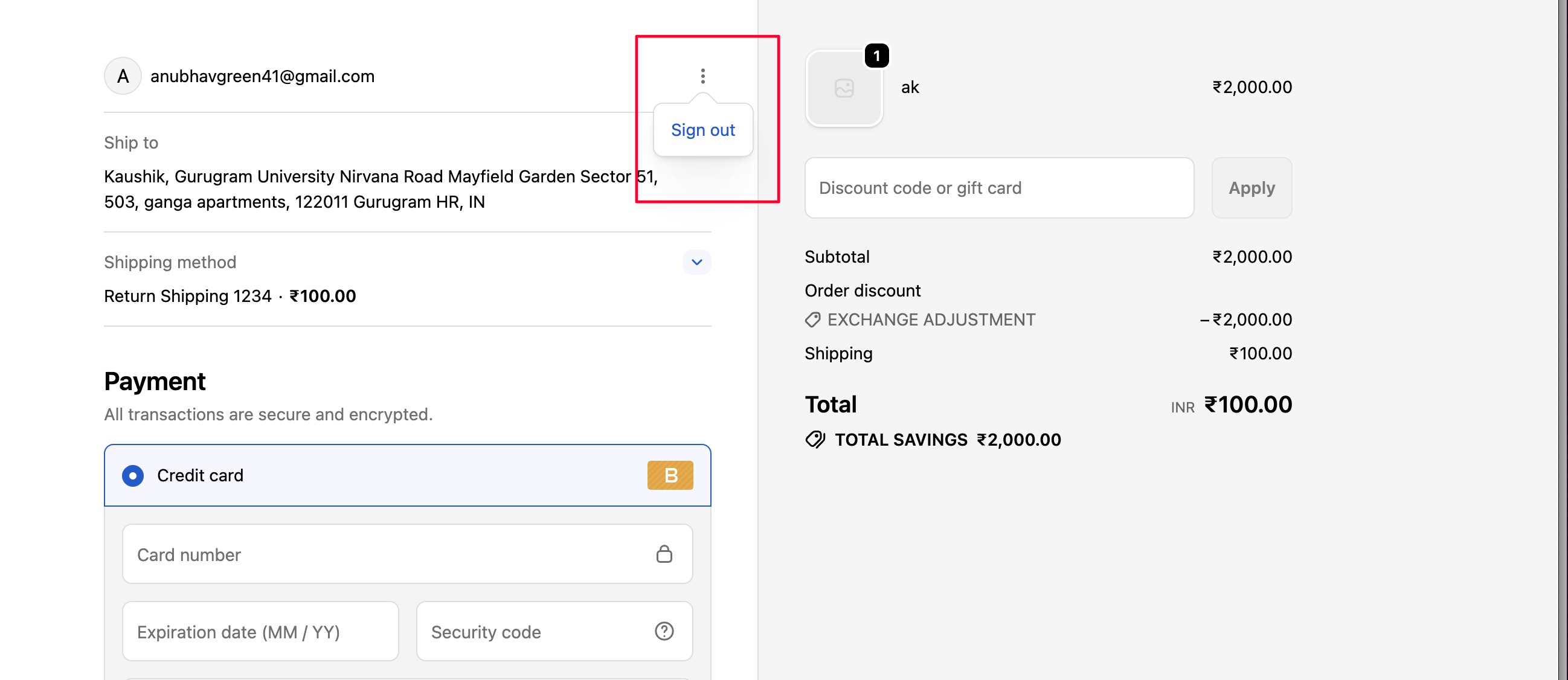
Refresh the Page
Reload the checkout page to continue


Was this article helpful?
That’s Great!
Thank you for your feedback
Sorry! We couldn't be helpful
Thank you for your feedback
Feedback sent
We appreciate your effort and will try to fix the article