We understand that a few brands that operate in multiple regions, might offer returns/exchanges for a specific region only. Return Prime allows to restrict the orders on the basis of their region or province/state. It can be done easily by following the below-mentioned steps:-
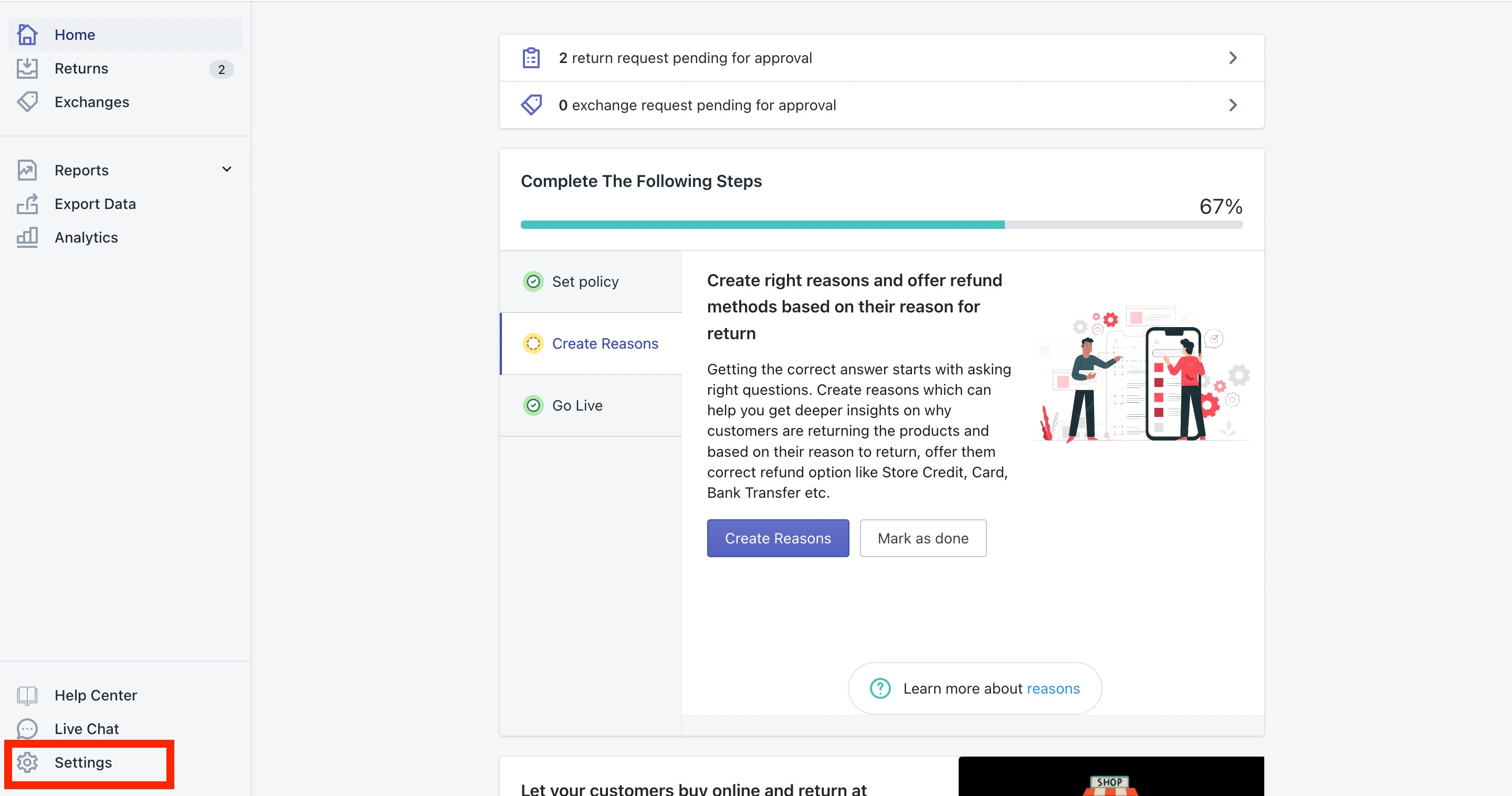
Click on the "Settings" icon in the bottom left corner.
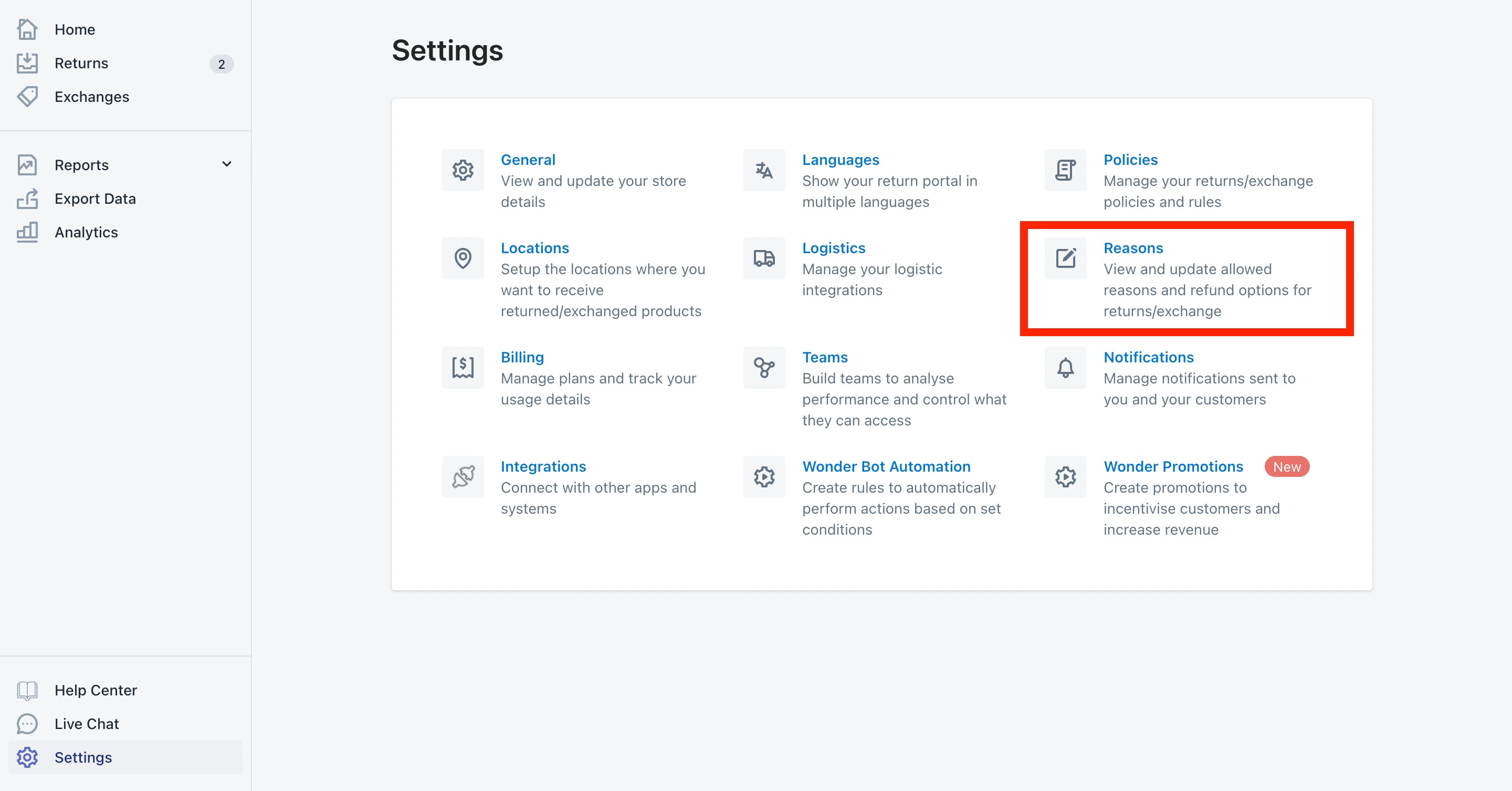
Here please click on the "Reasons" settings.
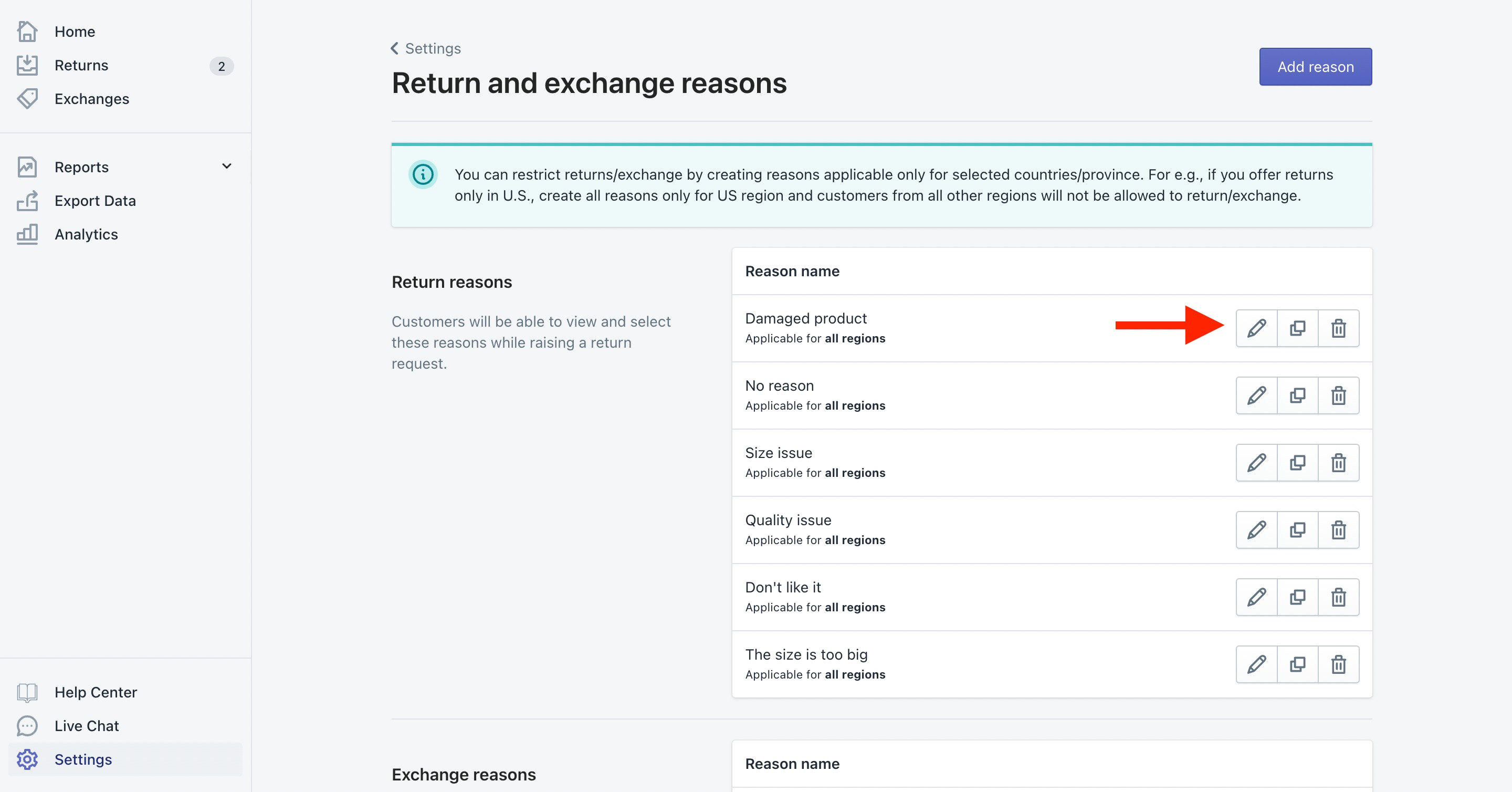
If you already have reasons created then click on the Edit (Pencil) icon and it will open up a dialogue box for that reason.
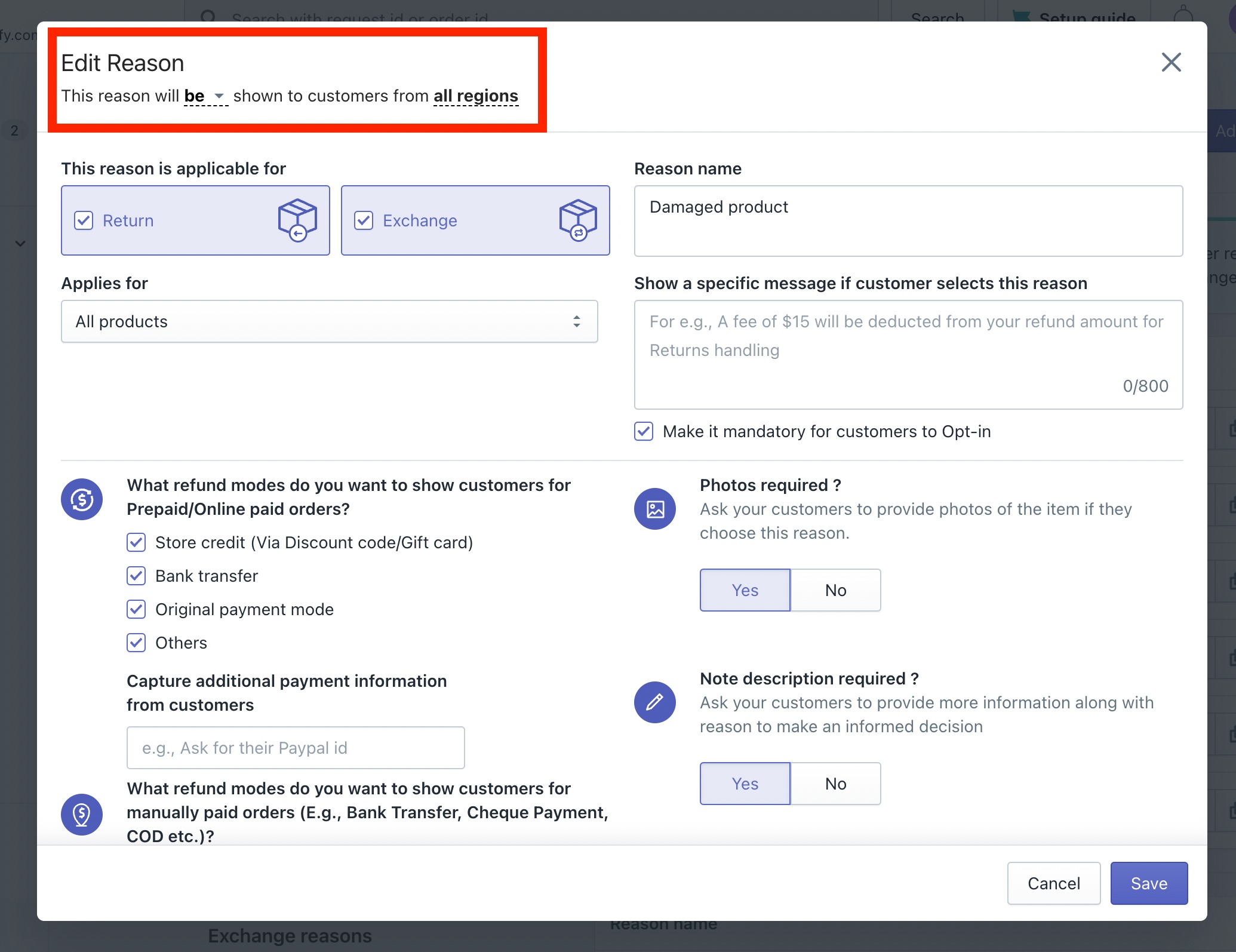
Here you will get the option on the top to select for which region this reason should be visible, you can select the "Country/Province/State" here, and once done then save the
Repeat the same for all the reasons and then you will be able to restrict the customers based on the region.


Pro tip: You can create one reason and then duplicate the same using the duplicate button available.
Was this article helpful?
That’s Great!
Thank you for your feedback
Sorry! We couldn't be helpful
Thank you for your feedback
Feedback sent
We appreciate your effort and will try to fix the article