Express Exchange lets your customers get their replacement item shipped right away, instead of waiting for you to receive and process their returned item first. This removes the usual 5–14 day wait and helps convert customers who would otherwise choose a refund into exchanges.
To protect you financially, Return Prime places a temporary hold on the customer's payment method based on the value of the original order. This hold is captured (charged) only if the original item is not returned in time — otherwise it is released.
Prerequisite: Express Exchange requires your Stripe payment gateway account to be connected. Without this connection, the setting cannot be enabled and Express Exchange will not be shown to customers.
How the Payment Hold Works
The hold amount and what happens to it depends on how the price of the exchanged item compares to the original item:
Scenario | Amount held | If returned within the configured window | If not returned within the configured window |
|---|---|---|---|
1. Same-price exchange | Original order amount | Full amount released | Full amount captured |
2. Exchange for a higher-priced item | Original order amount + price difference | Original order amount is released; only the price difference is captured | Full amount (original order amount + price difference) is captured |
3. Exchange for a lower-priced item | Original order amount | Full amount released; the price difference can be refunded to the customer separately | Full amount captured |
Examples:
Scenario 1: Same price exchange ($100 original for $100 replacement)
Return Prime places a $100 hold on the customer’s card, equivalent to the original order value, and ships the replacement immediately. No amount is charged at this stage; the $100 is only reserved on the card.
If the customer returns the original item within the configured return window, the entire $100 hold is released and the customer is not charged anything. If the return window expires without the original item being returned, the full $100 is captured as compensation for the unreturned item.
Scenario 2: Exchange for a more expensive item ($100 original for $120 replacement)
Since the replacement item costs more, the customer needs to pay an additional $20 for the upgrade. Return Prime places a total hold of $120 on the customer’s card. This includes $100 as protection against the original item not being returned and $20 for the price difference.
The replacement item is shipped immediately. If the original item is returned within the configured window, the $100 hold is released and only the $20 price difference is captured, which is the actual amount owed for the upgrade.
If the original item is not returned within the configured window, the full $120 is captured. This covers both the $20 upgrade amount and the $100 value of the unreturned original item.
Scenario 3: Exchange for a cheaper item ($100 original for $80 replacement)
Return Prime places a $100 hold on the customer’s card, equivalent to the original order value, as protection against the original item not being returned. The $80 replacement is shipped immediately.
If the original item is returned within the configured window, the full $100 hold is released and nothing is captured. The $20 difference between the original $100 item and the $80 replacement is not part of the Express Exchange hold mechanism. It is refunded through the standard exchange refund process, just as it would be for any lower priced exchange, regardless of whether Express Exchange was used.
If the original item is not returned within the configured window, the full $100 hold is captured. Since the original item was not returned, no price difference refund is issued.
Enabling Express Exchange
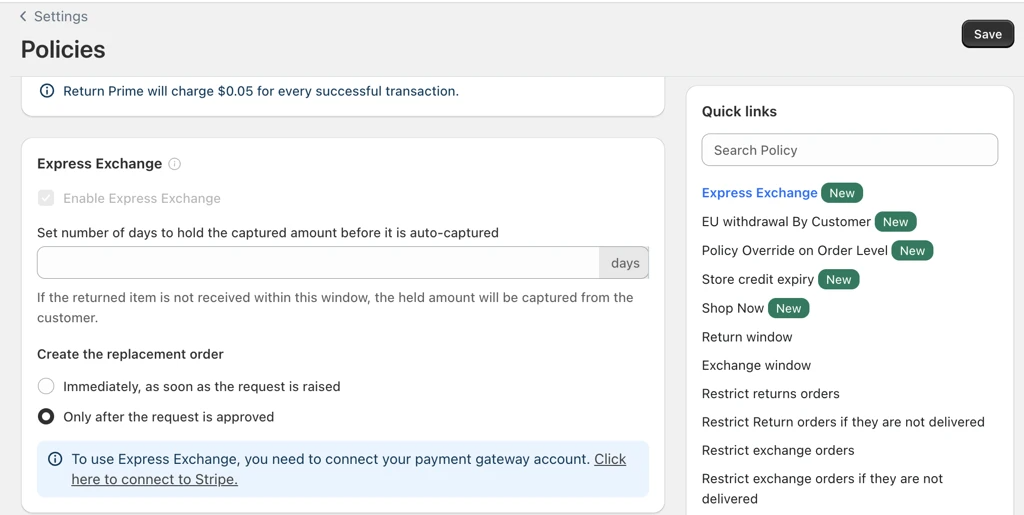
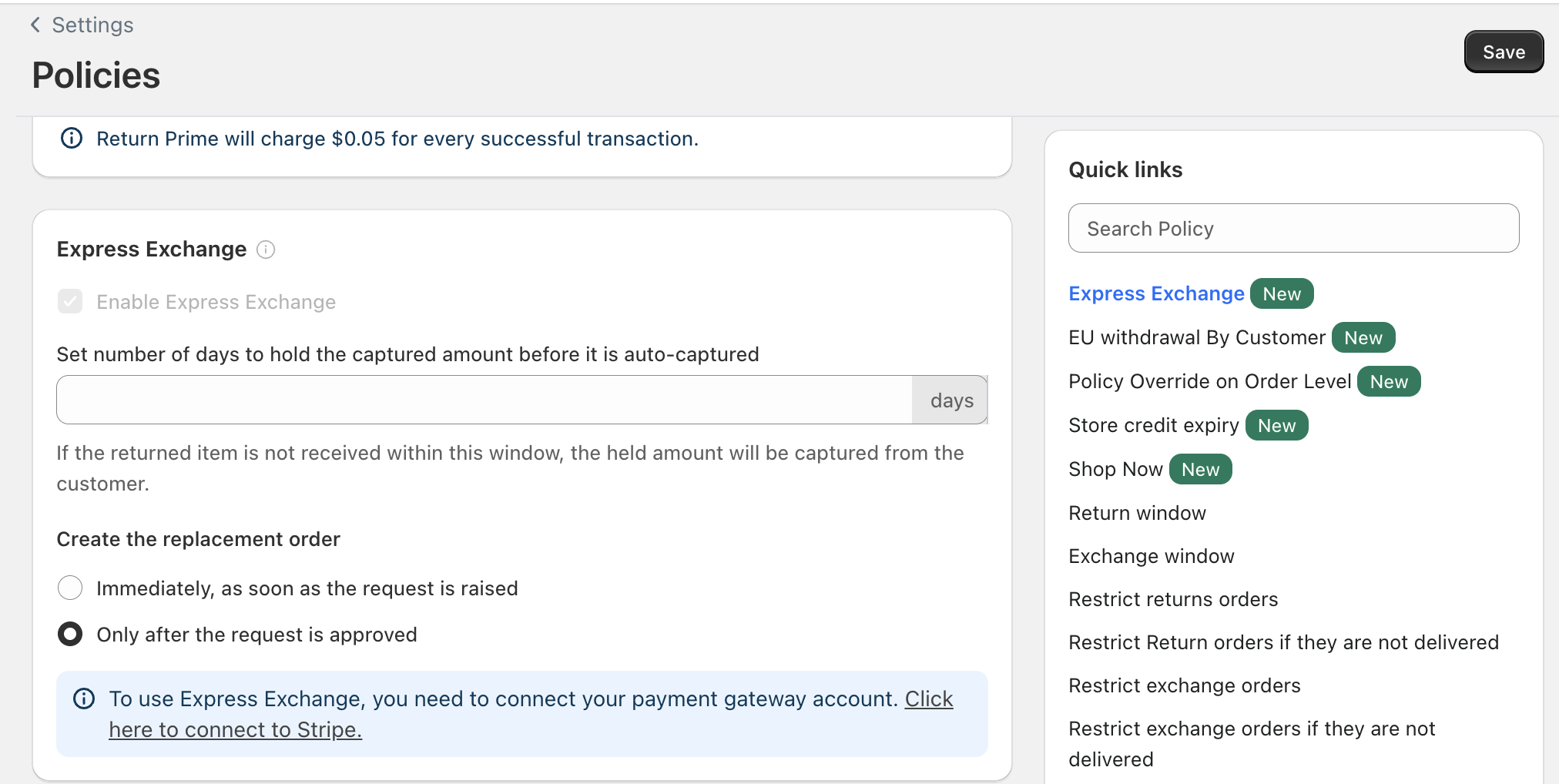
Go to Settings > Policies in your Return Prime dashboard.
Find the Express Exchange section.
Connect your Stripe account by clicking "Click here to connect to Stripe" if it isn't connected already — this is required before the toggle can be turned on.
Once Stripe is connected, turn on Enable Express Exchange.
Set the number of days to hold the captured amount before it is auto-captured. If the returned item isn't received within this window, the held amount is automatically captured from the customer.
Choose when the replacement order should be created:
Immediately, as soon as the request is raised — the replacement order is created right when the customer submits the exchange request.
Only after the request is approved — the replacement order is created only once you (the merchant) approve the return request.
Click Save to apply your changes.
Things to Keep in Mind
Express Exchange cannot be enabled until a Stripe account is connected.
If the item is received in time, only the applicable amount (if any) is captured and the rest is released automatically — you don't need to do this manually.
If the item is not received within the configured window, the full held amount is captured, protecting you from non-returns.
Was this article helpful?
That’s Great!
Thank you for your feedback
Sorry! We couldn't be helpful
Thank you for your feedback
Feedback sent
We appreciate your effort and will try to fix the article