Shyplite is a multi-carrier robust platform which employs a powerful courier network to expand your reach globally with instant access to pre-negotiated rates & services, all with just one account. Here is a step by step process to integrate Shyplite with Return Prime:
Log in to your Shyplite account or Click Here

2. Open the Settings option (Gear icon) on the bottom left corner of your Shyplite dashboard
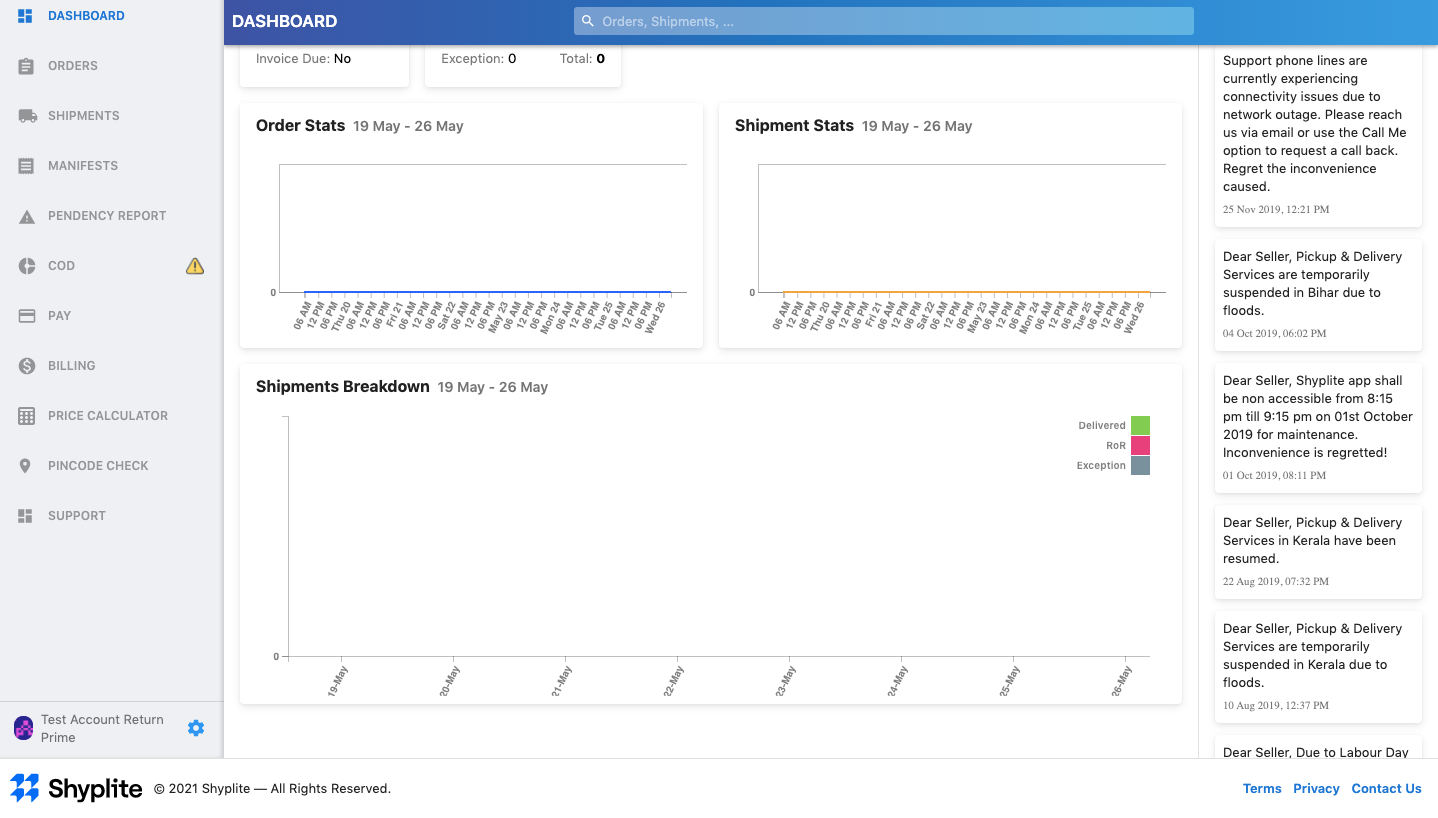
3. Select the API option from the list that comes up.
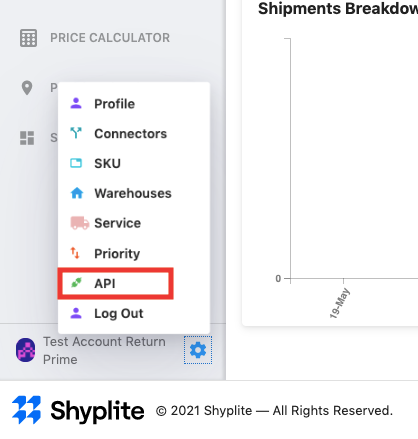
4. Copy the details required for the integration.
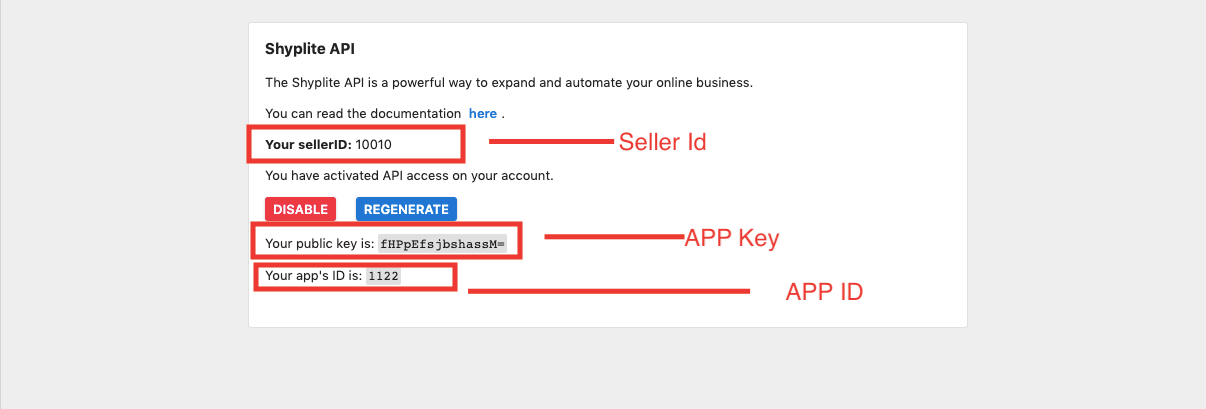
5. Paste the details on your Return Prime dashboard.
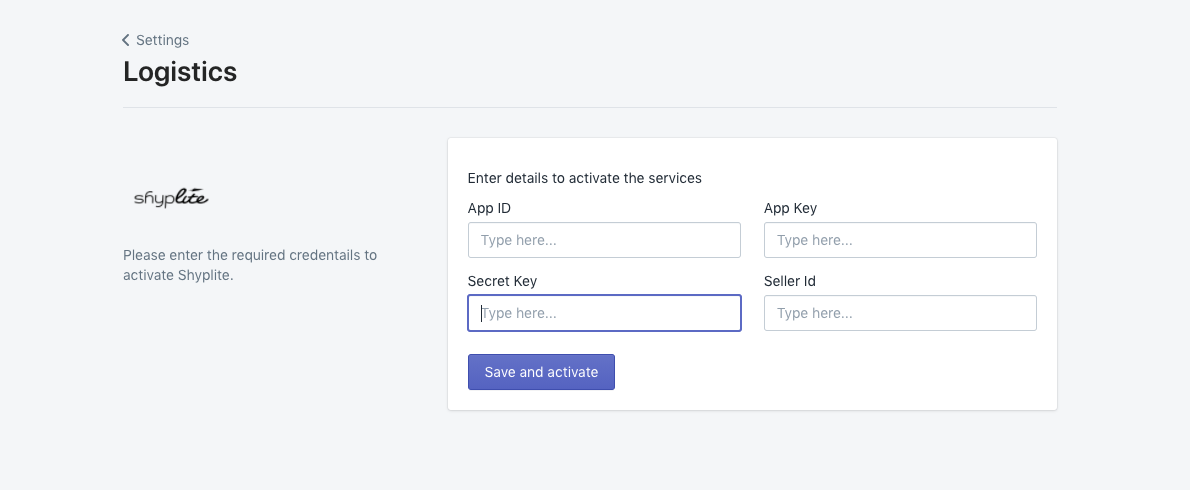
6. Click on the Regenerate button (blue) to get the secret key.
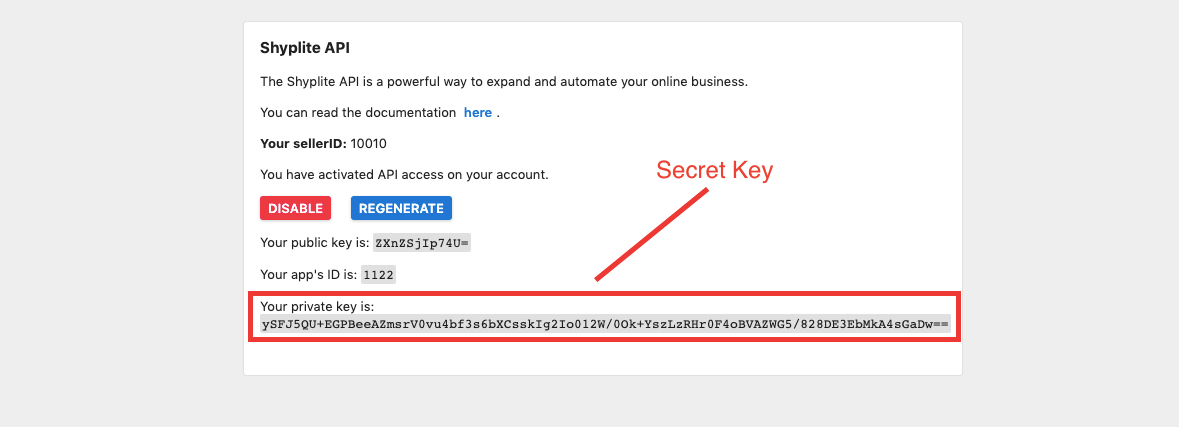
7. Copy and paste the private key in your Return Prime dashboard and save the credentials.
Facing any issue in integration? Click the blue button to start live chat.
Was this article helpful?
That’s Great!
Thank you for your feedback
Sorry! We couldn't be helpful
Thank you for your feedback
Feedback sent
We appreciate your effort and will try to fix the article