In this article, we will change the button color of the return page. This can be done easily from the Return Prime dashboard in no time. Lets go ahead and do it together.
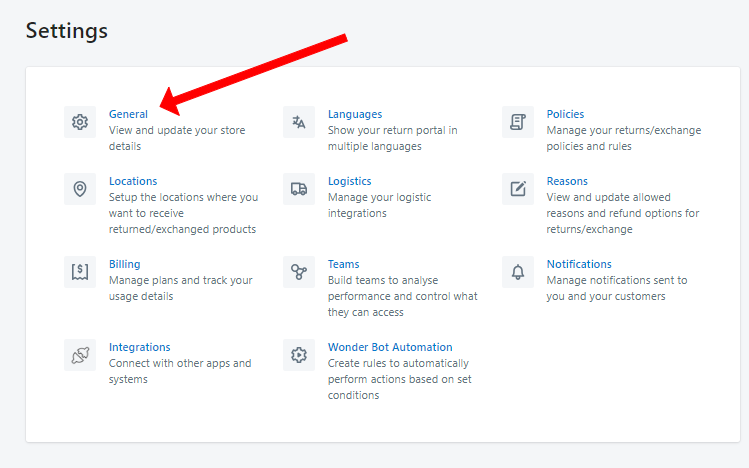
Open the Return Prime app and navigate to the settings menu.

Access the "General" section within the settings.
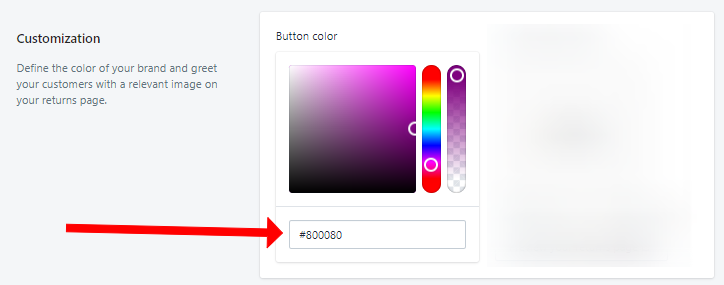
In the Customization section, you can change the button colour by inputting the corresponding HTML/hex colour code.
Remember to click "Save" to store your configuration.
With these simple steps you can change the color and match it with your brand colour guidelines to make it look more seamless and integrated with your website.


Was this article helpful?
That’s Great!
Thank you for your feedback
Sorry! We couldn't be helpful
Thank you for your feedback
Feedback sent
We appreciate your effort and will try to fix the article