Convenience is the key for better customer service and customers do want an easy access to raise a return directly from the contact form or return policy page. Follow the below steps to do in it no time:
Open the page on your Shopify store where you want to add the return form
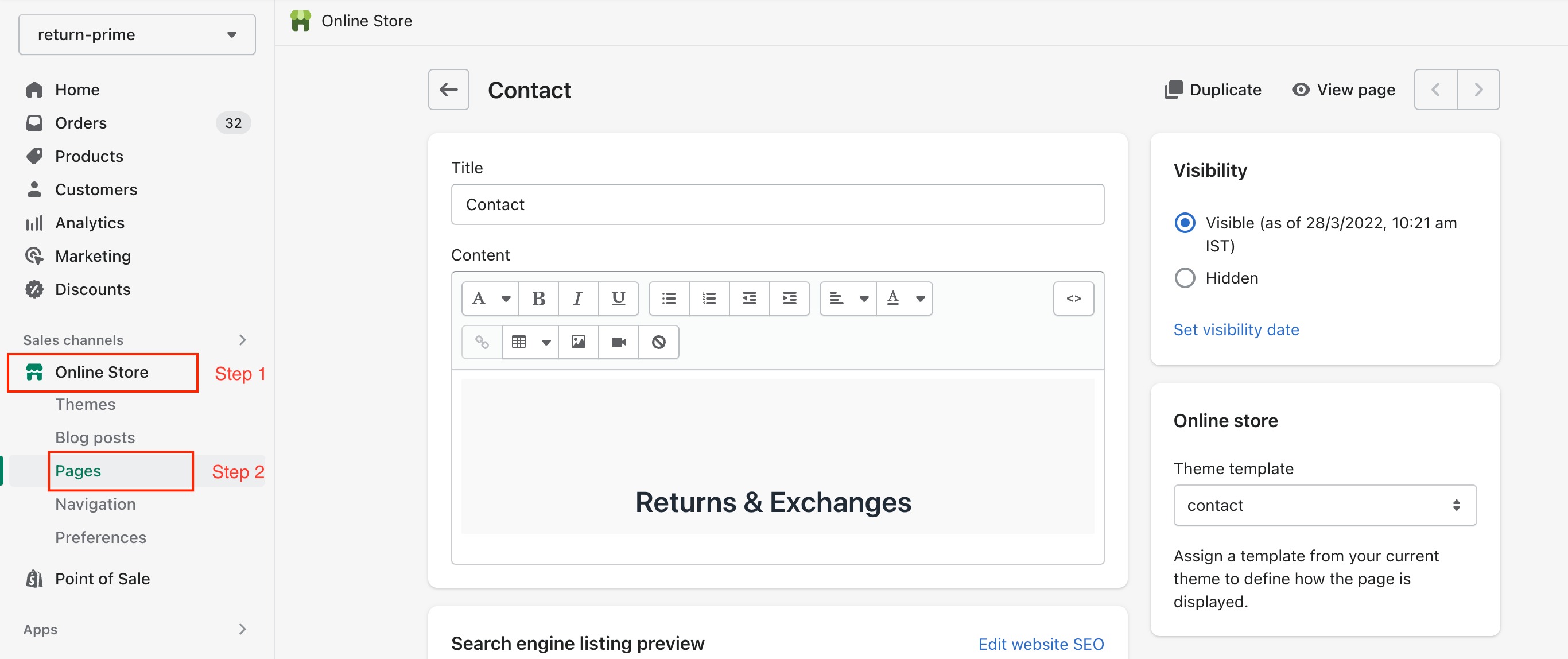
Switch to HTML mode to edit the page content
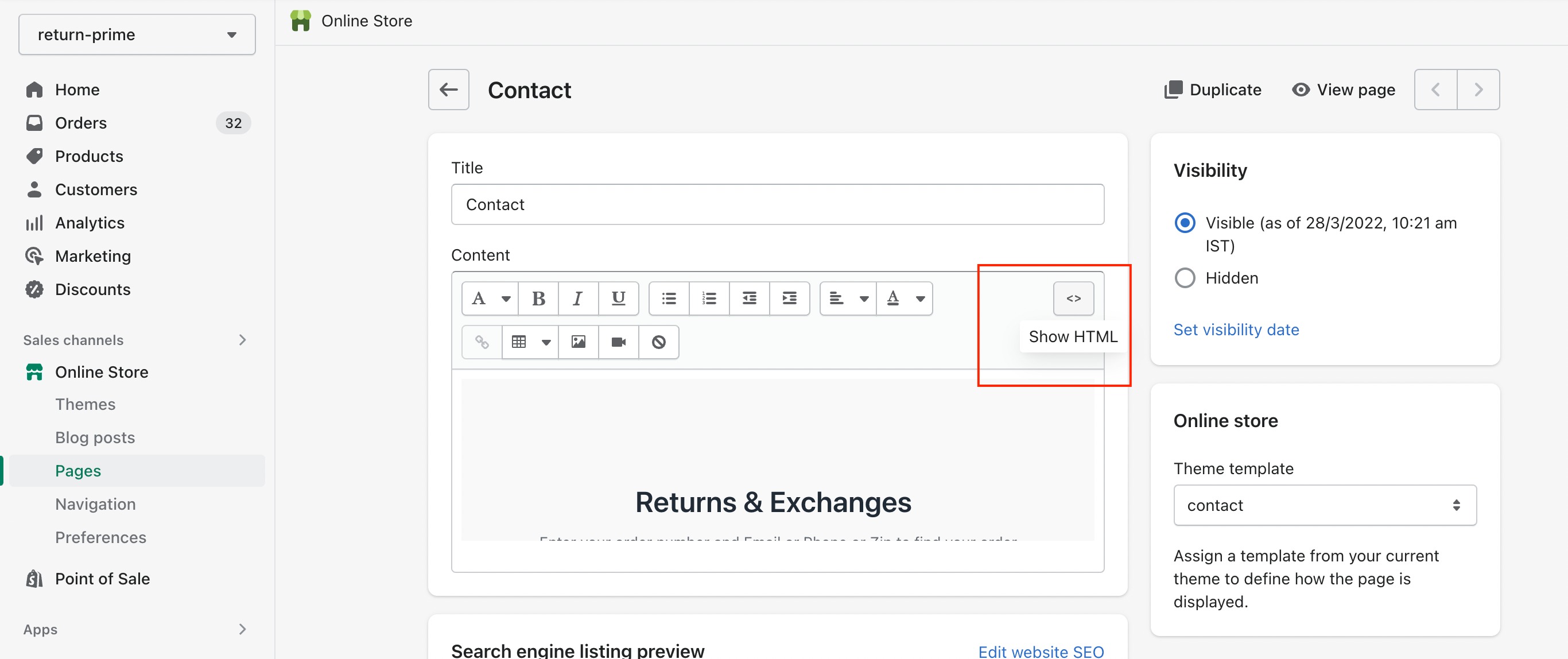
Copy paste the below code as it is wherever you want to show the return form


<iframe src="https://apps.returnprime.com/abc.myshopify.com" height="100%" width="100%" style="border:none; height:80vh"></iframe>
Important Note: Do replace abc.myshopify.com in the above code with your Shopify store URL before saving it.
Wonder Tip: You can get your Shopify store URL from your Return Prime dashboard too. Login to your dashboard and you will see it on top, just click to copy it.

Still, have questions? Click the blue chat button
Was this article helpful?
That’s Great!
Thank you for your feedback
Sorry! We couldn't be helpful
Thank you for your feedback
Feedback sent
We appreciate your effort and will try to fix the article