1. Open the Return Prime app and navigate to the settings menu.
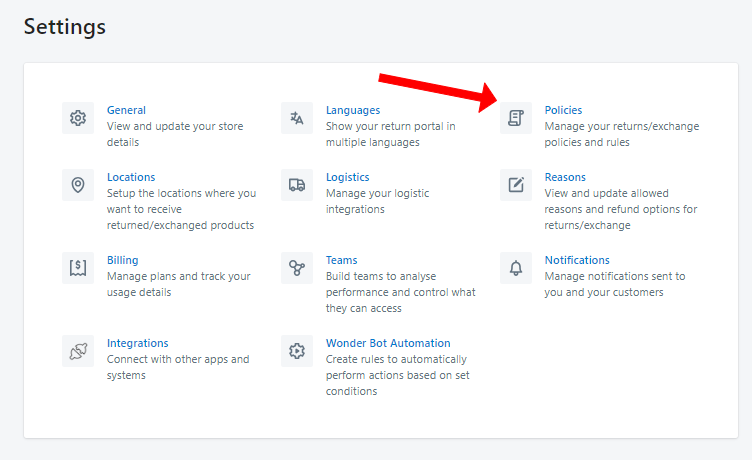
Access the "Policies" section within the settings.
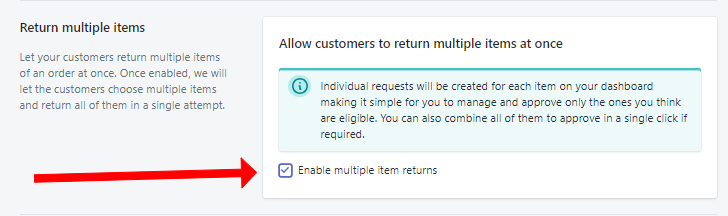
Scroll down to find the "Return Multiple Items" section.
Check the box to "Enable Multiple Returns" in this section.
Save your changes.


Enhance your e-commerce efficiency by effortlessly enabling returns for multiple items with Return Prime.
Was this article helpful?
That’s Great!
Thank you for your feedback
Sorry! We couldn't be helpful
Thank you for your feedback
Feedback sent
We appreciate your effort and will try to fix the article